
A research report answers the question you asked. Then you read it, and you have three more.
You could start a new research run for each one. That's slow, and it's wasteful, because the answer is usually already sitting in the sources you just paid to gather. So Farside has Ask: follow-up questions answered from the research you already have.
The hard part isn't answering. Any chatbot will answer. The hard part is an answer you can trust as much as the report it came from. So in Ask, an answer has to show its work before you see it.
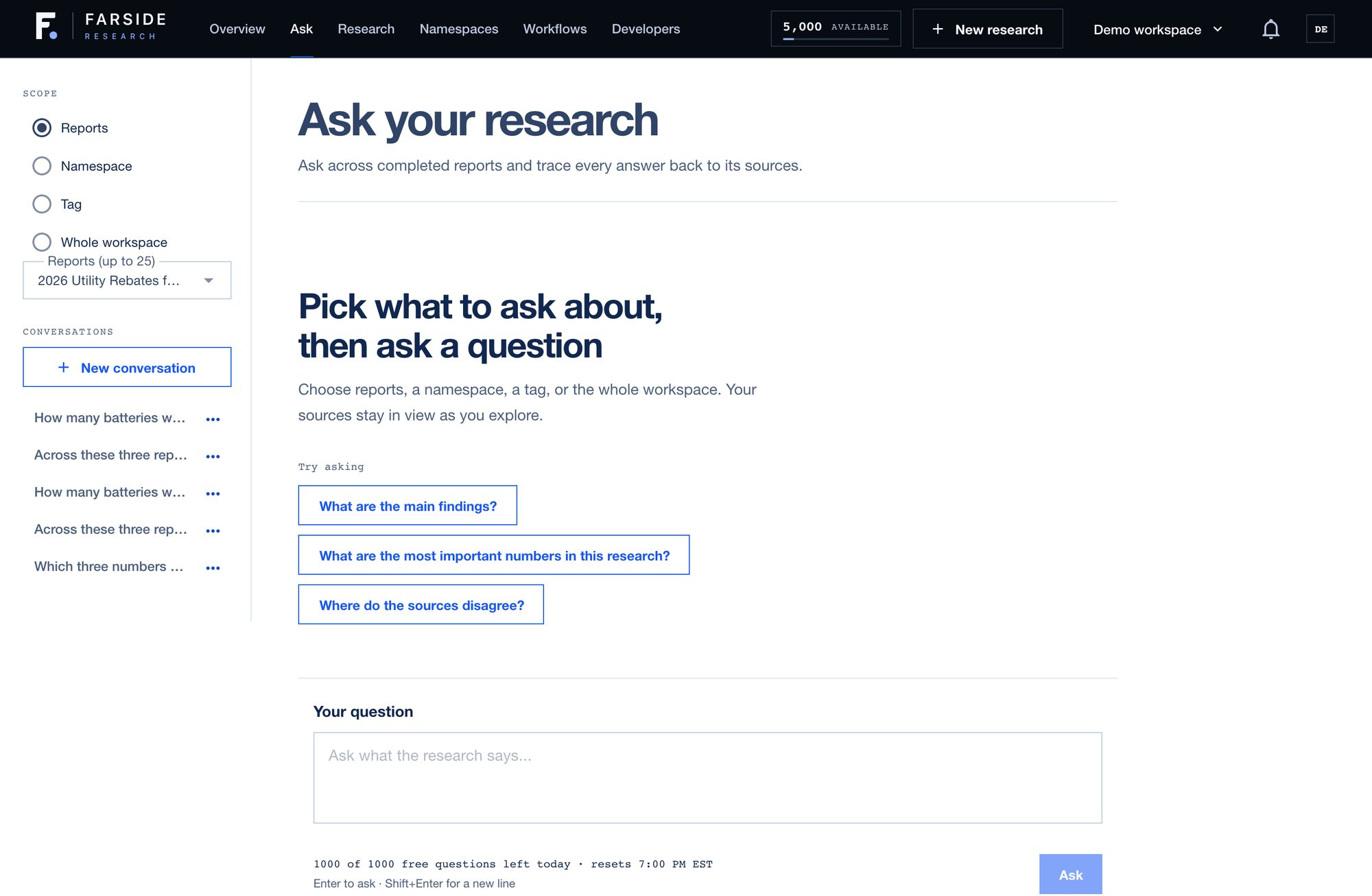
#1. Pick what it can draw on
Every conversation starts with a scope:
- Reports. One report, or a handful you pick.
- A namespace. Everything in one folder, like a client or a project.
- A tag. Every report you've tagged a certain way.
- The whole workspace. Everything you've researched.
The scope stays fixed for the conversation and sits on the left, so you always know what an answer is allowed to use.
#2. It breaks your question into its parts
Real questions come in pieces. "How many batteries would a 15-person crew need, and roughly what would they cost?" is two questions wearing one question mark.
Ask splits a question into its parts before it answers, and it answers every part, in order. When the research covers one part and not the other, you get the part it can answer and a plain note about the part it can't. It never quietly answers the easy half.
#3. Every statement gets checked before you see it
When Ask drafts an answer, it doesn't go straight to you. It's split into statements, and each one has to pass three checks:
- It cites evidence. Every factual statement has to point at a source from the research.
- Its numbers are in that evidence. Every number in the statement has to appear in the passages it cites. A number the sources never stated doesn't get through.
- A separate check agrees it's supported. A separate judging step reads the statement next to its evidence and has to call it supported.
Anything that fails is removed. Not softened, not hedged, removed. The answer tells you how many statements were checked and how many were left out, so you always know how much it had to work with.
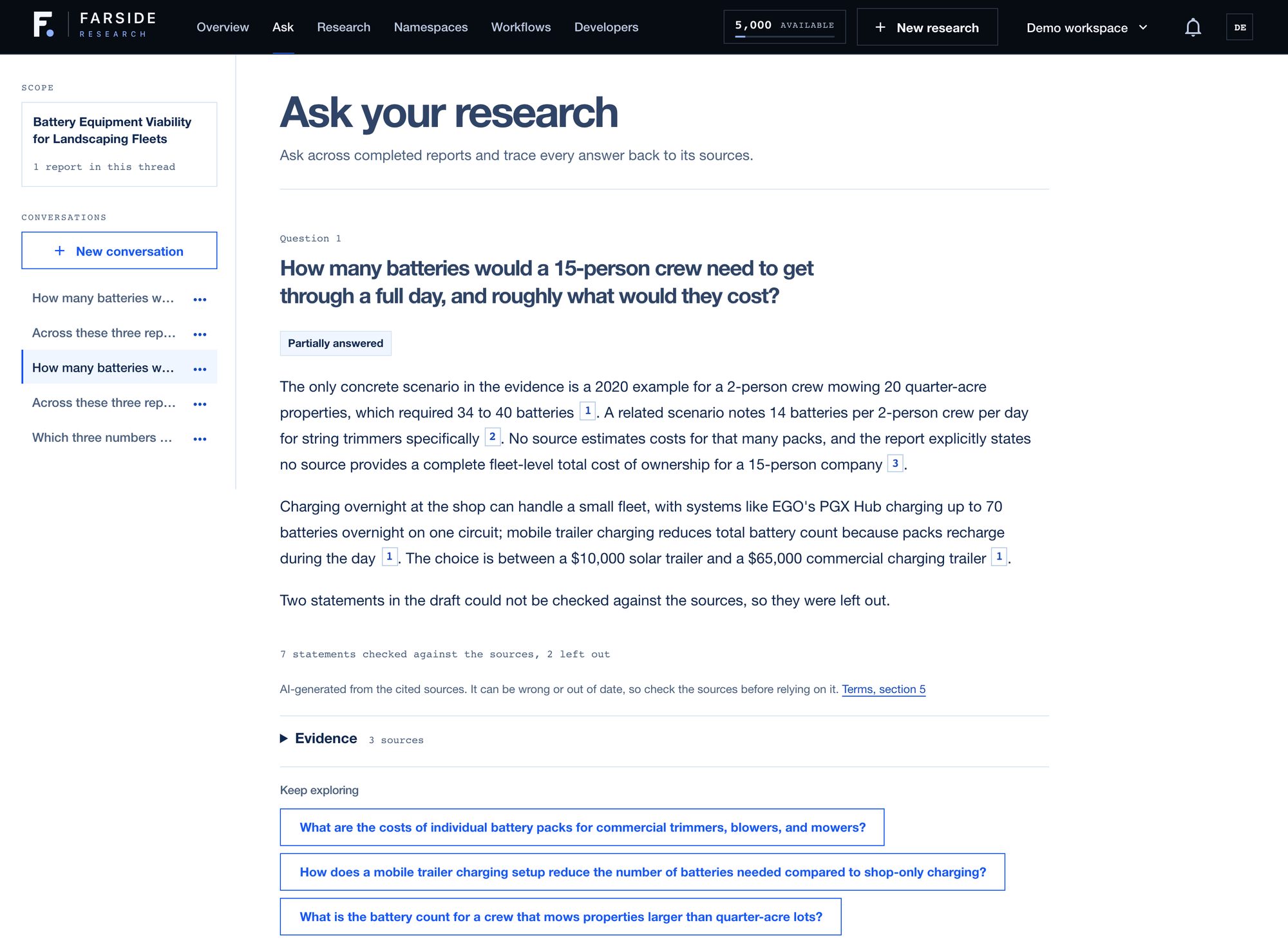
Here's that battery question for real. The landscaping report's only concrete scenario was a 2-person crew that needed 34 to 40 batteries, plus a second one for string trimmers. Ask used both, then said plainly that no source estimates what that many packs would cost, and marked the answer as partially answered. Seven statements were checked and two were left out.
That's the answer I want. It didn't multiply 40 batteries by a price it found somewhere else and hand me a confident number.
#4. Every answer says how complete it is
An answer comes back as one of four things:
- Answered, from the research.
- Partially answered, with what's missing said plainly.
- Not in the research, when the sources you have don't cover it.
- Out of scope, when the question isn't about this research at all.
"Not in the research" is a real answer, and an important one. It's the cue to run new research instead of trusting a guess. And a question that's out of scope doesn't cost you anything.
#5. Asking across reports
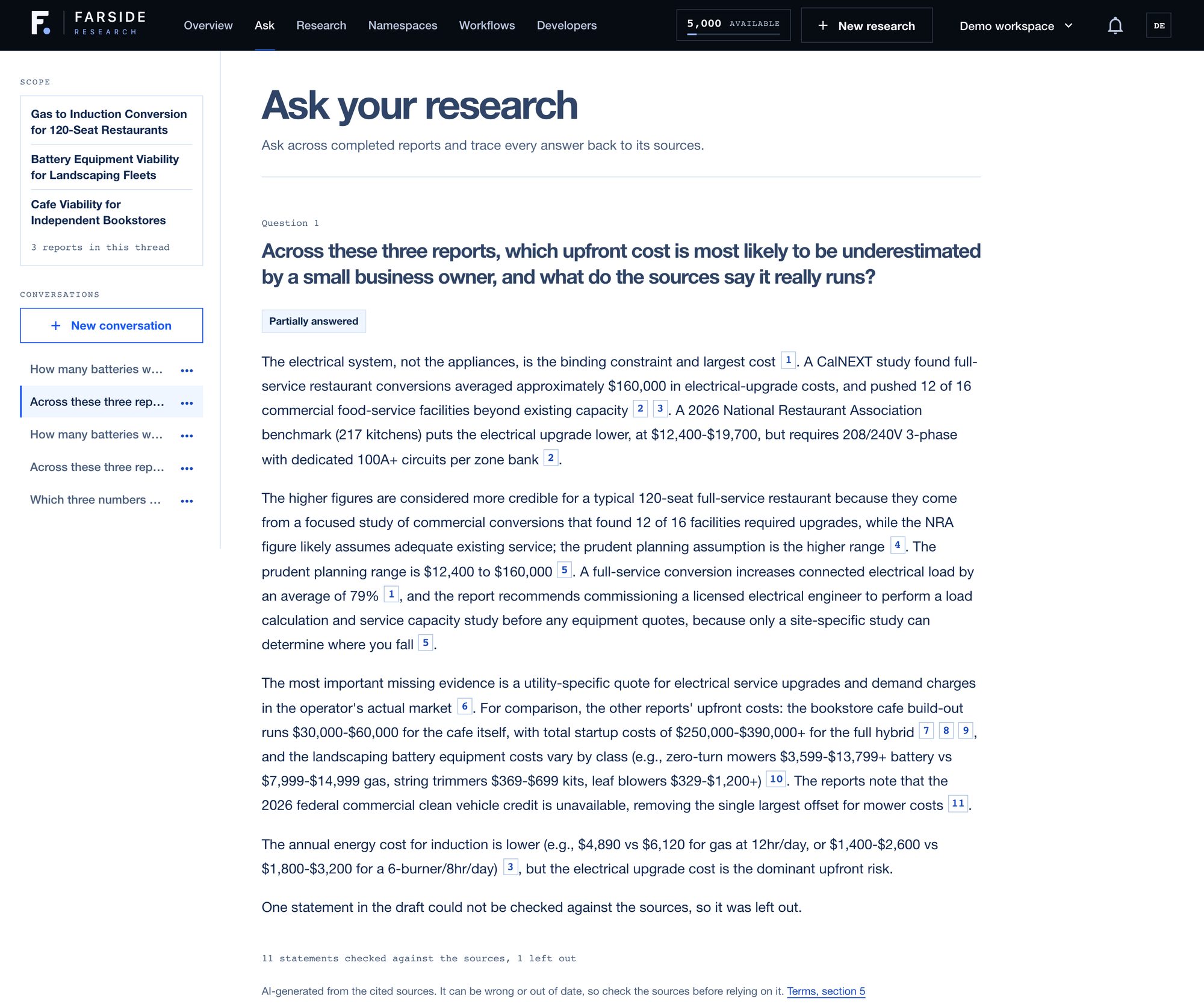
The best questions often cut across reports. I had three on very different small-business decisions: switching a restaurant kitchen to induction, moving a landscaping crew to battery equipment, and adding a cafe to a bookstore. So I asked all three at once which upfront cost a small business owner is most likely to underestimate.
It picked the restaurant's electrical upgrade, and showed why. An industry benchmark puts it at $12,400 to $19,700. A focused study of commercial conversions found an average around $160,000, with 12 of 16 kitchens pushed past their existing capacity.
Then it laid out the other two reports' upfront costs for comparison, from the cafe build-out to battery equipment by type, and noted a tax credit the landscaping report found is no longer available. Eleven statements were checked and one was left out. It marked the answer as partially answered, because none of the reports has an actual quote for an electrical upgrade in a specific market. That's exactly the next thing I'd go get.
#6. Keep pulling the thread
Every answer ends with a few suggested next questions. They aren't generic. Each one has to point at real evidence in your research, and none can state a number the sources don't. Some come from evidence Ask retrieved for your question but didn't need in the answer: a lead you'd otherwise never see.
Conversations are saved, so you can come back to a thread next week and pick up where you left off.
#7. Ask without leaving the report
Most follow-up questions show up halfway through reading. You hit a number in the pricing section, wonder where it came from or how it compares, and the last thing you want is to lose your place.
So every report has an Ask panel that opens beside it. Type the question there and the answer comes back next to the paragraph you were reading. It goes through the same checks: a citation on every statement, every number matched to its source, and a line saying how many statements were left out. Click a citation and you're looking at the source.
Those questions don't disappear when you close the panel. They're saved as a thread in Ask, named after the report, so you can come back to it next week from either place.
#8. When the research doesn't cover it
"Not in the research" is the honest answer, but sometimes you still need one. Maybe the report is a few months old and prices have moved. Maybe your question drifted past what the run set out to find.
For a single report, you can turn on web search for that question. Ask looks for newer pages, and those pages face exactly the same checks as the report's own sources. A page that can't back a statement doesn't get to make one.
Any page the answer cites is added to the report's sources. So the report gets a little better every time you ask it something it didn't know, and the next question can use what the last one found.
#9. From your own tools
Ask isn't only a screen in the app. The same engine sits behind the API and the MCP server, so the answer your code gets is the answer you'd see in the panel, with the same checks and the same answer status.
That matters most for AI agents. Connect Farside to Claude, Cursor or VS Code and your agent gets an ask_research tool. Say it's drafting a pitch and needs a market size. Instead of pulling one from memory, it asks the report you already ran and gets back a cited answer, or a plain "not in the research" it can act on. If a call times out, the agent retries with the same key and is never charged twice.
#What it costs
Every plan includes free questions every day, shared between Ask conversations and the panel on each report. After that, a question costs a flat number of credits, shown before you send it.
Web search is priced on its own and never uses a free question, because it goes out and does new work. And if a question fails or you cancel it, the credits come back and your free question isn't spent. The current numbers are on the pricing page.
#Ask the question you actually had
Run one report on something you actually need to decide. Read it. Then ask it the question that was really on your mind, the one the report made you think of. Start at app.farsideresearch.com.