
Most research questions get answered once. Some don't stay answered.
Which rebates cover a kitchen remodel this year. What a vendor charges now. Whether a rule you depend on just changed. You can run the same research again every few weeks and read it top to bottom looking for what's different, but you won't. Nobody does. So Farside has workflows: save the question once, run it on a schedule, and get told when the answer actually changes.
There are four pieces, and they build on each other.
#Briefs: write the question once
A brief is a research question you save so you never have to type it twice. It holds everything that makes a run good: the question, the decision it supports, who needs to trust the answer, the depth, a namespace and tags.
The point isn't saving keystrokes. It's that next month's run asks exactly the same question, aimed at exactly the same decision, as this month's. That's what makes two reports comparable.
#Monitors: re-run it on a schedule
A monitor re-runs a brief daily, weekly or monthly, at a local time you pick.
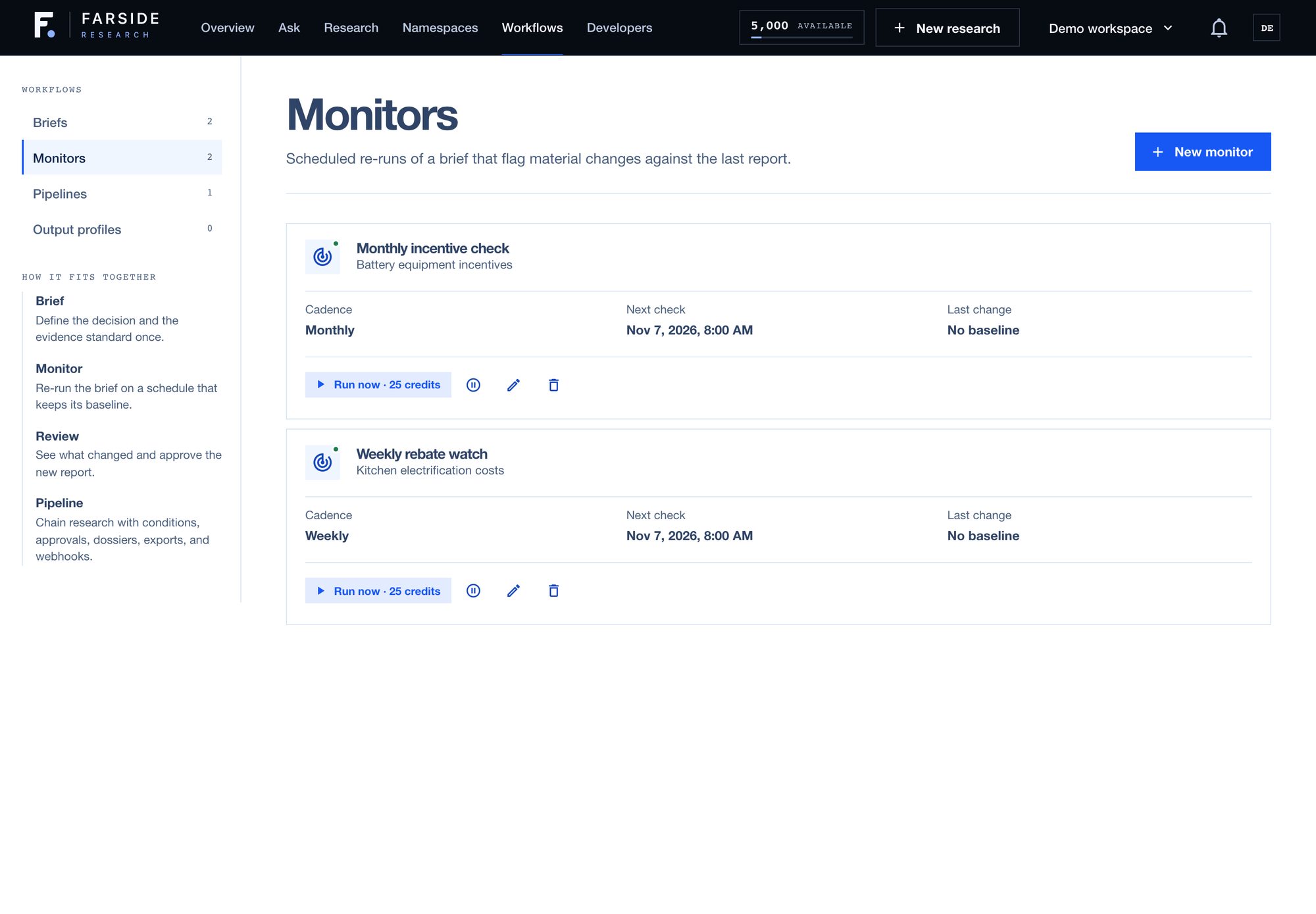
The useful part is what happens after each run. The new report gets compared to the last one claim by claim: which claims are new, which ones disappeared, and which ones changed, including when the confidence moved or the evidence behind a claim changed. That becomes a change score, the share of claims that are different.
You set a threshold for what counts as a material change. The default is 15%. When a run crosses it, the team gets notified. When it doesn't, nothing pings you, and the new report is still there if you want it.
A report that's identical to last week's isn't news. A report where a quarter of the claims moved is.
#Pipelines: chain research into the work around it
A pipeline is where it gets fun. It chains research to everything that usually happens around research, by hand, afterwards.
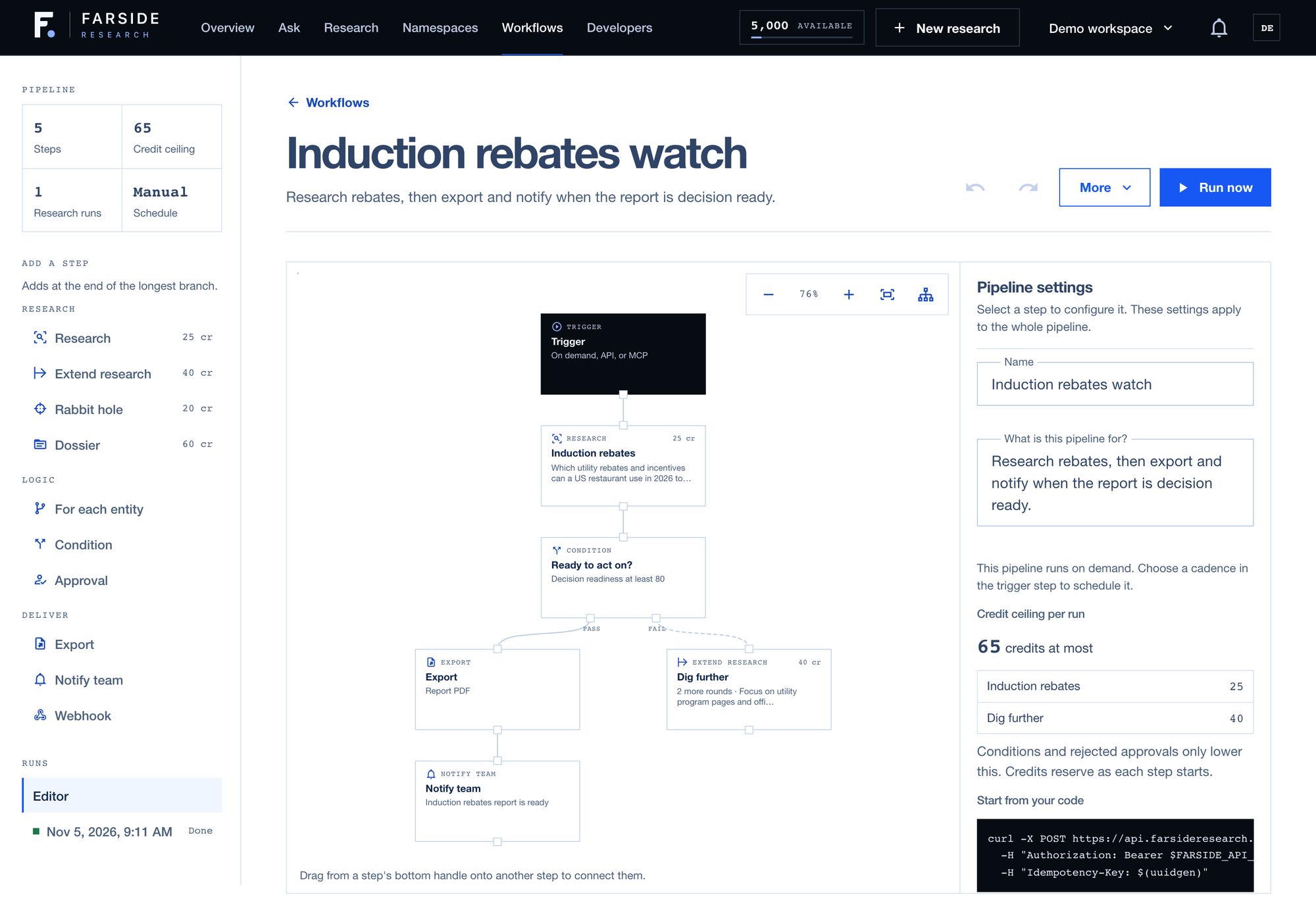
The steps fall into three groups:
- Research: run a brief or a question, extend a report with more rounds, chase a rabbit hole, or build a multi-document dossier.
- Logic: run every step once per company, product or market you list, branch on a condition, or pause for a teammate's approval.
- Deliver: export a PDF, Markdown, JSON or a CSV of sources, notify the team, or send a signed webhook to your own systems.
Conditions are where pipelines earn their keep. A condition can check whether the report changed materially since the last run, or whether it's decision ready, and send the pipeline down a pass branch or a fail branch. In the one above, a report that scores 80 or better on Decision readiness gets exported and the team hears about it. One that doesn't gets two more research rounds aimed at the gaps first.
A pipeline can start on demand, on a schedule, or from the API and MCP, so your own tools can kick one off.
#You see the cost before it runs
Every pipeline shows a credit ceiling: the most one run can cost if every paid step fires. The one above can cost at most 65 credits, 25 for the research and 40 if it has to dig further. Conditions and rejected approvals only ever lower that. Credits are reserved as each step starts, not all up front, so a branch that never runs never costs anything.
I ran this exact pipeline on my own account. The research came back with a Decision readiness of 80, so the condition passed, it exported the PDF and notified the team. The dig-further branch never ran, so the whole thing cost 25 credits, not 65.
#Output profiles: research your systems can read
If research is going to feed something else, like a spreadsheet, a CRM or your own app, prose isn't enough. An output profile defines a strict JSON shape that the report's structured output has to match. Set one as the workspace default, or attach it to a brief so every run of that brief comes back in the same shape.
#Start with the question you keep re-asking
Everyone has one. The price you check every quarter, the rule you reread before every renewal, the competitor you look up when a deal gets close. Save it as a brief and put a monitor on it. Set the threshold high at first, so you only hear about changes that would move your decision.
Once you trust what it flags, chain it into a pipeline that exports or notifies for you. Then stop checking. Start at app.farsideresearch.com.